Refactoring adding child fields to a nested form from Turbo Streams to Stimulus
I recently implemented a feature to add child fields (ingredients) to a nested form (for a recipe) in Rails 8 using Turbo Streams (in this PR).
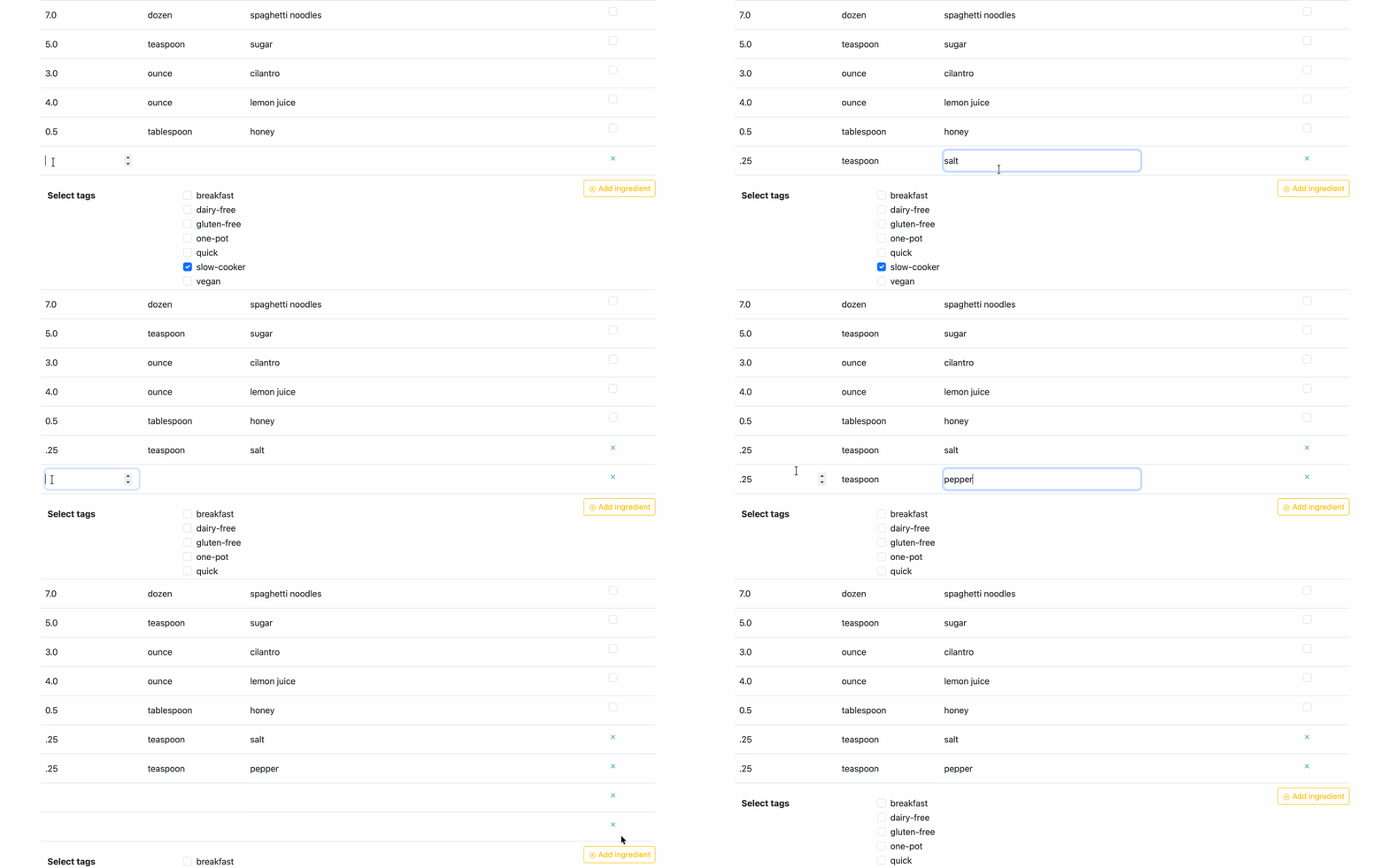
The implementation was pretty nifty, using just Turbo to insert the fields – which makes my little Railsy heart happy because I don’t love messing around with javascript. I did end up using a small Stimulus controller to handle removing the fields – because I couldn’t justify another round trip to the server just to remove fields. But I didn’t love this implementation because it was making a whole round trip to the server without needing to hit the database, just to add empty fields to a form. Had the form needed the recipe or ingredient object, that would have been different, but it didn’t, so this Turbo Stream implementation seemed like overkill to me and I wanted to do something more light-weight. I’ll outline the steps of this Turbo Stream implementation for you below because it sets the stage for the refactor.
An overview of the Turbo Stream Implementation
Add a route for a new ingredient
# config/routes.rb

resources :ingredients, only: [:new]
A whole new controller for that new route
# app/controllers/ingredients_controller.rb

class IngredientsController < ApplicationController
  def new
  end
end
The turbo stream view that handles the appending of the existing /ingredients/_form_fields partial.
<!-- app/views/ingredients/new.turbo_stream.erb -->

<%= turbo_stream.append 'js_ingredients_table' do %>
  <%= fields_for 'recipe[ingredients_attributes][]', Ingredient.new(quantity: nil), index: Time.current.to_i do |f_ingredient| %>
    <%= render partial: '/ingredients/form_fields', locals: { f_ingredient: f_ingredient } %>
  <% end %>
<% end %>
And now just a link on the existing recipe form using our new route to the IngredientsController#new to insert the new ingredient row via Turbo Stream.
<!-- app/views/recipes/_form.html.erb -->
...
<%= link_to new_ingredient_path, data: { turbo_stream: true } do %>
  + Add Ingredient
<% end %>
...
Pretty simple so far! But then I wanted to add a button to remove the row if I changed my mind. Uh oh. Do I make another trip to the server? Nah. That seems excessive. So I set up the recipe form to use Stimulus by adding the a Stimulus controller called remove_form_field_controller to the nested child (ingredients) section of the form.
<!-- app/views/recipes/_form.html.erb -->
...
<%= form.label 'Ingredients' %>
<div data-controller="remove-form-field">
  ...
  <%= link_to new_ingredient_path, data: { turbo_stream: true } do %>
    + Add Ingredient
  <% end %>
</div>
...
Then the form fields partial got a couple of new pieces of logic. First, I’ve assigned a Stimulus target to the parent div for the fields. This way, Stimulus will know exactly what to target when removing unwanted fields. Then I added the link to hit the stimulus controller’s remove function.
<!-- app/views/ingredients/_form_fields.html.erb -->
<%= tag.div(data: { remove_form_field_target: "ingredientFieldsRow" }) do %>
  ...
  <% if f_ingredient.object.persisted? %>
    <%= f_ingredient.check_box :_destroy %>
  <% else %>
    <a data-controller="remove-form-field" data-action="click->remove-form-field#remove" href="#">x</a>
  <% end %>
<% end %>
This is the Stimulus controller that removes the fields:
// app/javascript/controllers/remove_form_field_controller.js

import { Controller } from "@hotwired/stimulus"

export default class extends Controller {
  remove(event) {
    event.preventDefault()
    event.target.closest('[data-remove-form-field-target="ingredientFieldsRow"]').remove()
  }
}
Okay, so now that I’m using Stimulus now anyway. I should probably address that nagging feeling about this Turbo Stream trip to the server being a bit excessive.
The refactor from Turbo Streams to Stimulus
You can see the full diff in the PR for this refactor.
Now I get to remove lots of things!
- The
:ingredients, only: [:new]route - The
IngredientsController - The
app/views/ingredients/new.turbo_stream.erbview
I expanded the Stimulus remove_form_field_controller’s functionality and renamed it to add_ingredient_fields_controller so it can handle both the appending and the removing behaviors. Then, anywhere the old controller was called, I renamed it to the new controller. You’ll see some iterating over instances of NEW_RECORD in the logic below. I’ll get to that in a bit. You’ll also see some targets in there which will be used to identify DOM elements on the recipe form.
// app/javascript/controllers/add_ingredient_fields_controller.js

import { Controller } from "@hotwired/stimulus"

export default class extends Controller {
  static targets = ["template", "container"]

  // The new append function
  append(event) {
    event.preventDefault()
    const content = this.templateTarget.content.cloneNode(true)
    const index = Date.now()

    content.querySelectorAll('[name*="NEW_RECORD"], [id*="NEW_RECORD"]').forEach(el => {
      if (el.name) el.name = el.name.replace('NEW_RECORD', index)
      if (el.id) el.id = el.id.replace('NEW_RECORD', index)
    })

    this.containerTarget.appendChild(content)
  }

  // Same functionality from the old controller
  remove(event) {
    event.preventDefault()
    event.target.closest('[data-add-ingredient-fields-target="ingredientFieldsRow"]').remove()
  }
}
The recipe form gets 3 significant changes to switch over to Stimulus:
- Instead of the
app/views/ingredients/new.turbo_stream.erbholding the HTML we need for the ingredient form fields, I inserted a<template>in the ingredients section of the recipe form and added a Stimulus target called"template"so Stimulus knows where to find the source HTML. - The destination container for the inserted form fields got a Stimulus target called
"container", so Stimulus knows where to put that template HTML. - The “Add Ingredient” button changes from a turbo stream linking to the
IngredientsController#newaction to a simple<div>as a DOM element that is used to trigger the new Stimulus controller’sappendfunction.
<!-- app/views/recipes/_form.html.erb -->
...
<%= form.label 'Ingredients' %>

<!-- instantiating the add_ingredients_fields controller -->
<div data-controller="add-ingredient-fields">
  <!-- assigning a target to the destination container HTML -->
  <div data-add-ingredient-fields-target="container">
    <%= form.fields_for :ingredients do |f_ingredient| %>
      <%= render partial: '/ingredients/form_fields', locals: { f_ingredient: f_ingredient } %>
    <% end %>

    <!-- assigning a target to the source HTML for the form fields -->
    <template data-add-ingredient-fields-target="template">
      <%= form.fields_for :ingredients, Ingredient.new(quantity: nil), child_index: 'NEW_RECORD' do |f_ingredient| %>
        <%= render partial: '/ingredients/form_fields', locals: { f_ingredient: f_ingredient } %>
      <% end %>
    </template>
  </div>
  <!-- triggering the Stimulus "append" on click -->
  <%= tag.div(data: { action: "click->add-ingredient-fields#append" }, class: button_classes) do %>
    + Add ingredient
  <% end %>
</div>
Now about that NEW_RECORD javascript logic… Each row of ingredient form fields needs its own unique index. The turbo stream view was handling that with a Time.current.to_i upon insertion. Since we were making a trip to the server, it did give us that benefit. Now without that, simply inserting the <template> content will make an identical index even if we used a Time.current.to_i. Bummer. So this little piece of javascript grabs all of those identical strings called "NEW_RECORD" inside that template and replaces them with a timestamp upon insertion.
content.querySelectorAll('[name*="NEW_RECORD"], [id*="NEW_RECORD"]').forEach(el => {
  if (el.name) el.name = el.name.replace('NEW_RECORD', index)
  if (el.id) el.id = el.id.replace('NEW_RECORD', index)
})
Now we get those unique indexes that the form needs.
Improvements from Refactor
So overall, the improvements made in this refactor are:
- No round trip to the server just to insert empty fields!
- No new
ingredients#newroute to protect and maintain - No new
IngredientsControllerplus request specs for this controller - No separate turbo stream view to insert the partial
- Use a single Stimulus controller for both
appendandremovebehaviors - Use Stimulus targets for accurately identifying source and destination HTML without relying on HTML
ids. <template>source HTML is right on the page where it will be inserted – making it easy to understand
Cons: well, you do have to use Stimulus and if you prefer the simplicity of the Turbo Stream workflow, you’re probably feeling like a sad panda right now. Welcome to the dark javascript side of Rails work.